Table of Content
Quick Answer
The best Chromebook Plus laptops to buy in 2026 come from Acer, ASUS, HP, and Lenovo, and the right one depends on your budget. Aim for at least 8GB of RAM (16GB if you can stretch), a Full HD IPS display, a recent processor, and strong battery life. Most land between $499 and $999, and with the Googlebook on the horizon, deals on Chromebook Plus models are only getting better.
With Google's premium Googlebook grabbing all the headlines, it is easy to forget that the Chromebook Plus remains one of the smartest laptop buys of 2026. For everyday browsing, documents, streaming, and video calls, these mid-tier machines deliver excellent value, often for hundreds less than a flagship. And because a new category tends to push older-tier prices down, right now is a genuinely great time to grab a deal.
This guide walks you through what to look for, the best picks by category, and how to decide between buying a Chromebook Plus today or waiting for a Googlebook.
What makes a Chromebook Plus worth buying?
A Chromebook Plus is not just any Chromebook. It is a Google certification that guarantees a better experience: more performance, a nicer display, and extra AI features. The baseline includes 8GB of RAM, a 128GB SSD, and a Full HD IPS screen, which is plenty for most people's daily computing. If you want the full comparison with Google's new flagship, read our Googlebook vs Windows AI PCs breakdown.
What to look for when buying a Chromebook Plus
Before you pick a model, keep these five things in mind. They separate a laptop you will love for years from one you will outgrow quickly.
- RAM: 8GB is the floor, but 16GB is worth it if you keep many tabs open or multitask.
- Display: a Full HD (1080p) IPS panel is the sweet spot for clarity and value.
- Processor: choose a recent chip for smoother performance and longer life.
- Battery: look for all-day battery, ideally 10 hours or more.
- Build and ports: a sturdy chassis, USB-C charging, and a decent keyboard matter daily.
Pro tip
If your budget allows, spending a little more for 16GB of RAM is the single best upgrade for longevity on a Chromebook Plus.
Best Chromebook Plus laptops by category (2026)
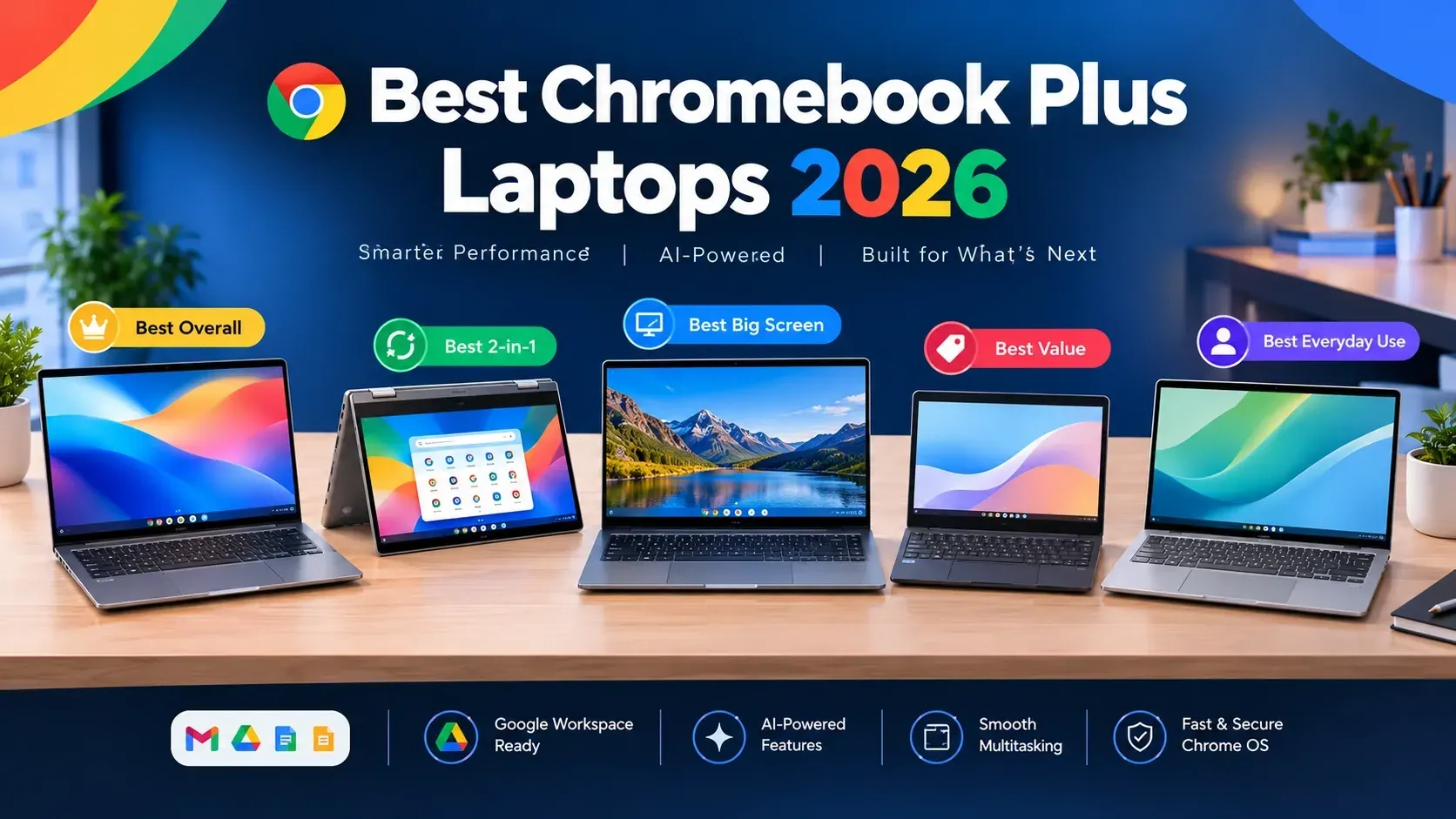
Rather than name models that may sell out or change, here are the categories that matter and what to prioritize in each. Pair this with live listings and reviews when you buy.
| Category | What to prioritize | Rough budget |
|---|---|---|
| Best overall value | 16GB RAM, 1080p IPS, recent chip, strong battery | $599 to $799 |
| Best budget pick | 8GB RAM, 1080p display, solid battery | $499 or less on sale |
| Best for students | Lightweight, durable, long battery, good keyboard | $499 to $699 |
| Best premium Chromebook Plus | 16GB RAM, brighter/larger display, metal build | $799 to $999 |
| Best 2-in-1 / touchscreen | Convertible hinge, touch display, pen support | $599 to $899 |
Best overall value
The sweet spot is a Chromebook Plus with 16GB of RAM, a crisp 1080p IPS screen, a recent processor, and all-day battery. This configuration handles heavy multitasking and AI features comfortably and should stay useful for years. Expect to pay around $599 to $799, less during sales.
Best budget pick
If you want to spend as little as possible, an 8GB Chromebook Plus with a 1080p display and good battery covers browsing, documents, and streaming beautifully. Around the holidays these can dip to $499 or lower, making them some of the best-value laptops you can buy.
Best for students
Students should prioritize durability, weight, battery life, and a comfortable keyboard. A lightweight Chromebook Plus that survives a backpack and lasts a full school day is worth more than raw specs. Look in the $499 to $699 range.
Best premium Chromebook Plus
If you want the nicest Chrome OS experience without jumping to a Googlebook, premium Chromebook Plus models offer 16GB of RAM, brighter and larger displays, and metal builds for $799 to $999. These rival entry laptops from other platforms on polish.
Should you buy now or wait for the Googlebook?
This is the big question in 2026, and the answer is refreshingly simple. If you need a laptop today and want the best value for everyday tasks, buy a Chromebook Plus now and enjoy it. You are not missing out on anything essential for browsing, documents, and streaming.
If you want premium on-device Gemini AI, a flagship build, and the longest support, and you can spend more and wait, the Googlebook may be worth holding out for. For a full breakdown, see our Gemini on Googlebook features guide and the Googlebook vs Windows AI PCs comparison.
For most everyday users, a well-chosen Chromebook Plus bought during a 2026 sale is one of the smartest tech purchases you can make.
How to get the best Chromebook Plus deal
Timing matters. Chromebook prices drop hardest around Black Friday, Cyber Monday, and back-to-school season, and the arrival of the Googlebook is likely to trigger extra discounts on existing models. A few tips:
- Shop during major sale events for the steepest discounts
- Prioritize 16GB RAM models when they go on sale, they age better
- Check both new and open-box listings for extra savings
- Support Black-owned sellers by shopping the Pro Black Electronics category
Chromebook Plus vs a regular Chromebook: what is the difference?
If you have shopped Chromebooks before, you might wonder whether the "Plus" is just marketing. It is not. A regular Chromebook can have very low-end specs and a basic screen, while a Chromebook Plus must meet Google's higher bar: more RAM, a Full HD display, better performance, and access to extra AI features. In practice, that means a Chromebook Plus feels noticeably smoother and ages better. For most buyers, the modest price difference is worth it, because a cheap Chromebook can feel sluggish within a year or two.
Common mistakes to avoid when buying
A little knowledge saves you from regret. Watch out for these common traps:
- Buying only on price: the cheapest model often skimps on RAM or screen quality, which you will feel daily.
- Ignoring RAM: 8GB is fine for light use, but heavy multitaskers should pay up for 16GB.
- Overlooking the display: a dim or low-resolution screen is a daily annoyance. Insist on 1080p IPS.
- Forgetting battery life: a laptop that dies by lunch is frustrating. Target 10 hours or more.
- Skipping reviews: specs do not tell you about the keyboard, trackpad, or speakers. Read real reviews before buying.
Who should not buy a Chromebook Plus?
Honesty helps you buy well. A Chromebook Plus is not for everyone. If you rely on heavy Windows-only software, professional creative suites like the full desktop Adobe apps, or AAA gaming, Chrome OS will frustrate you. In those cases, look at a Windows AI PC or a MacBook instead. And if you specifically want the most advanced on-device AI, the upcoming Googlebook is designed for that. A Chromebook Plus shines for everyday, web-centric computing, not demanding desktop workloads.
Chromebook Plus and the Googlebook: the bigger picture
The arrival of the Googlebook does not make the Chromebook Plus obsolete. Instead, it clarifies the lineup: Chromebooks for budgets, Chromebook Plus for everyday value, and Googlebooks for premium, AI-forward flagships. For a huge number of people, the middle option is exactly right. You get a capable, modern laptop without paying flagship prices, and you can always upgrade to a Googlebook later if your needs grow.
Frequently Asked Questions
What is the best Chromebook Plus to buy in 2026?
The best Chromebook Plus for you depends on budget. Look for at least 8GB of RAM (16GB if possible), a Full HD IPS display, a recent processor and strong battery life. Models from Acer, ASUS, HP and Lenovo all offer excellent value in 2026.
Should I buy a Chromebook Plus or wait for the Googlebook?
If you need a laptop now and want great value for everyday tasks, buy a Chromebook Plus today. If you want premium on-device Gemini AI and can spend more, consider waiting for a Googlebook.
How much should I spend on a Chromebook Plus?
Most good Chromebook Plus laptops cost between $499 and $999. Spending a bit more for 16GB of RAM and a nicer display improves longevity, especially around holiday sales.
Are Chromebook Plus laptops good for working from home?
Yes. For browser-based work, video calls, documents and email, a Chromebook Plus with 16GB of RAM is a reliable, affordable work-from-home machine.
Explore more laptop guides: Gemini on Googlebook features, Googlebook vs Windows AI PCs, MacBook Air M5 vs M4, and M5 vs M5 Pro vs M5 Max. Shop laptops and accessories from verified Black-owned sellers in our Electronics category.
Ready to buy a Chromebook Plus?
Compare laptops and accessories from verified Black-owned sellers on Pro Black, and download the app to shop on the go.