Table of Content
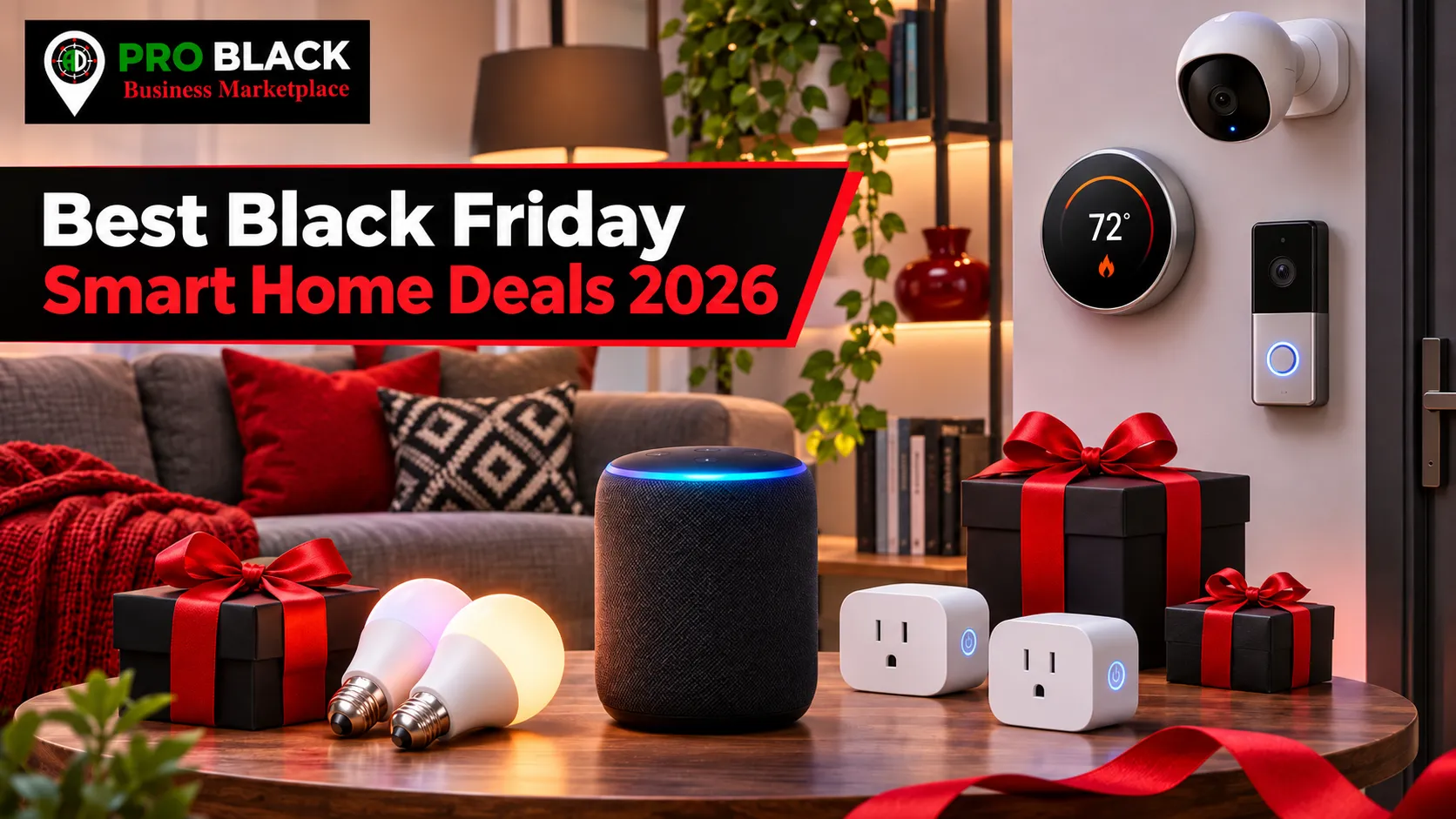
A smarter home does not need to begin with a complete renovation. A plug that turns off a lamp on schedule, a light that is easy to control from bed or a doorbell that helps you see who is at the entrance can solve a specific household problem. With Black Friday arriving tomorrow, November 27, now is a useful time to compare connected devices and plan which upgrades deserve a place in your home.
The best Black Friday smart home deals are not necessarily the products with the most features. They are devices that work with your existing equipment, respect your privacy, have reasonable ongoing costs and remain convenient after installation. A heavily discounted camera with a subscription you do not want may cost more over time than a simpler alternative.
This guide covers smart plugs, lighting, cameras, doorbells, sensors, speakers, thermostats and connected-home compatibility. It is a buying guide, not a live price tracker; confirm individual listing specifications, current prices and availability before ordering.
QUICK ANSWER
Start with one problem and one compatible device. Compare Wi-Fi or hub requirements, safety ratings, software support, privacy controls and any subscription fees. Avoid buying an entire ecosystem before testing a starter device.
Build around a problem, not a gadget collection
Write down what you want to change: forgotten lights, inconvenient switches, a poorly lit entrance or uncertainty about whether a door is closed. Each problem points to a different type of product. A smart plug can control an ordinary lamp, while a contact sensor can report whether a compatible door or window is open. A camera is not required for every household task.
Think about who will use the devices. Housemates, children, visitors and anyone with accessibility needs should be able to operate basic functions without relying on a single person's phone. Keep ordinary manual controls available wherever possible. Plan what happens during an internet outage or if the device manufacturer stops supporting its app. A smart home should still function as a home when the technology is unavailable. Begin with one room, test your preferred controls and expand only when you know the setup is useful.
Smart plugs: a low-commitment place to start
A smart plug adds scheduling and remote control to a compatible appliance. A bedside lamp or decorative light is a common use case, provided the appliance resumes operation when power is restored. Some plugs also report electricity use, which can help you understand the consumption of connected equipment. Check the specifications rather than assuming every smart plug includes energy monitoring.
Electrical safety is essential. Match the plug's rated voltage and current to the connected appliance, and use it only in the environment approved by the manufacturer. Do not connect a space heater, high-power appliance or medical equipment unless the relevant manufacturer explicitly permits that use and the device is appropriately rated. Outdoor use requires an outdoor-rated product. Check whether a large plug blocks an adjacent outlet, whether its schedule works locally, and whether an existing home hub is required. A cheap plug should not introduce a new safety risk.
Smart lighting: bulbs, strips and switches
Smart bulbs are convenient when you want dimming, adjustable color temperature or scheduled lighting without rewiring the fixture. Confirm the bulb base, size, maximum fixture wattage and whether it is suitable for enclosed or damp locations. If you turn off an ordinary wall switch, many smart bulbs lose power and cannot respond to an app until the switch is turned on again.
Smart switches can preserve convenient wall control, but installation requirements differ. Some models need a neutral wire or particular wiring arrangements. If you are unsure, consult a qualified electrician instead of assuming the switch is compatible. LED strips should be measured for the intended surface and powered using suitable equipment. Consider whether you need full-color effects or simply a warm white light. For everyday rooms, reliable brightness control and comfortable color temperature may offer more value than an elaborate collection of lighting scenes.
Security cameras and video doorbells
Before buying a camera, identify the area you need to monitor and whether you can install the device legally and responsibly. Compare viewing angle, image resolution, night performance, mounting location, power supply and weather rating. Avoid placing cameras in private indoor spaces or recording areas where people reasonably expect privacy. Local laws can also affect audio recording, so review the rules relevant to your location.
A video doorbell may use existing doorbell wiring, a rechargeable battery or another power arrangement. Check compatibility with the transformer and chime if applicable. Review whether recording requires a paid plan, whether footage can be stored locally and how long clips are retained. A device with a low purchase price may be less economical if essential features cost extra each month. Remember that a camera or doorbell is not a guaranteed prevention measure. Use it alongside appropriate physical locks, lighting and other household security practices.
Quick shopping comparison
| Category | What to consider | Check before buying |
|---|---|---|
| Smart plug | Scheduling compatible lamps | Electrical rating, socket size, app |
| Smart lighting | Convenient light control | Bulb base, fixture type, hub |
| Camera / doorbell | Monitoring an appropriate area | Power, recording cost, privacy |
| Sensors | Door, movement or leak notifications | Protocol, battery, alert behavior |
| Thermostat | Heating and cooling scheduling | HVAC wiring and installation |
Sensors and simple automations
Motion, contact, temperature and leak sensors can be useful without the privacy concerns of a camera in every room. A contact sensor can notify you about an opened door; a leak sensor near a suitable water source may provide an early warning. Check the communication protocol, battery type and the distance from the required hub or router. Some devices operate locally, while others depend on a cloud service for notifications.
Keep automation rules simple and test them in normal conditions. A hallway light triggered by motion should stay on long enough for people to move safely, and it should have a manual override. A leak alert should reach someone who can respond. Do not replace required smoke or carbon-monoxide alarms with generic smart sensors, and follow manufacturer guidance for any safety-critical device. The best automation reduces the need to check an app constantly rather than creating a new stream of unnecessary alerts.
Smart speakers, displays and ecosystem compatibility
A smart speaker or display can make compatible lights, timers and music accessible through voice or touch controls. Check which services and languages the device supports, whether household members can manage their own accounts and what microphone or camera privacy controls are provided. A display may be useful in a kitchen or common area, while a smaller speaker can be sufficient for simpler tasks.
Matter is a smart home interoperability standard, but support for Matter does not mean every device feature works with every controller. Check the exact product, firmware, supported device type and whether a separate Thread border router or bridge is needed. Zigbee, Thread, Bluetooth and Wi-Fi are not interchangeable simply because all are wireless technologies. Before buying a device, confirm that it works with your chosen ecosystem and with the functions you actually want. If you already own a reliable hub, compatible accessories may be more economical than switching everything to a new platform.
Smart thermostats and energy-related upgrades
A smart thermostat can offer scheduling and remote adjustments, but it must be compatible with the heating and cooling system. Compare the system type, wiring, voltage and power requirements, and consult the manufacturer or a qualified HVAC professional if uncertain. Some installations need a common wire or another approved power arrangement. Do not attempt an incompatible installation just because the product was discounted.
Energy savings depend on the home, climate, system and how the thermostat is used. A smart device does not guarantee a specific reduction in utility bills. Scheduling around normal occupancy and avoiding unnecessary heating or cooling may help, but the purchase must make sense for your household. Check whether local utility programs offer relevant rebates and whether you can use them with the retailer's offer. Keep energy monitoring separate from speculative claims and compare your own usage over time if you want to assess results.
Protect your network and privacy before connecting devices
Use unique passwords for your smart home accounts and enable multi-factor authentication when available. Update device firmware and router software according to the manufacturers' guidance. Review which users have access to cameras, locks or recordings, and remove access that is no longer needed. Consider a separate guest or IoT network if your router supports it and you can configure it without breaking required device communication.
Check the vendor's update policy and how to delete recordings, revoke permissions or reset the device before selling or gifting it. Avoid purchasing connected equipment from an unknown manufacturer that provides no clear support or privacy information. Review app permissions, especially location, microphone and camera access. If a device loses internet connectivity, understand which functions remain available. Security and privacy are ongoing responsibilities, not features that can be assumed from a product's packaging.
Calculate the real cost over three years
Compare purchase price, required hub, installation, batteries and subscription fees. A hypothetical $50 camera with a $5 monthly plan costs $230 over three years before tax or installation. A $120 alternative with local storage and no mandatory subscription might cost less, assuming its capabilities and support meet your needs. These figures illustrate the calculation rather than represent actual Black Friday listings.
For a connected-lighting system, count the number of fixtures and the cost of each replacement bulb or switch. For doorbell cameras, consider whether professional installation is necessary. Check if a bundle includes the parts you need, rather than paying for sensors or accessories you will not use. The best smart home deal is the one whose ongoing cost and maintenance are proportionate to the benefit.
A staged Black Friday smart home shopping plan
On Thanksgiving, identify the compatible devices that solve your most important household problems. Tomorrow, compare prices and complete the purchase only when the total cost, return conditions and setup requirements are acceptable. On Cyber Monday, you can revisit smaller accessories if they are still useful, but do not assume prices will necessarily improve.
When your first device arrives, install it according to its instructions, check privacy settings and test manual control. Give yourself time to evaluate reliability before buying several more. If the device will be a gift, confirm the recipient's phone and smart home ecosystem, and avoid products that create unwanted subscriptions. Browse ProBlack for relevant connected-home products, check the seller's current information and choose an upgrade that supports a real daily routine.
Put the buying advice into practice
A renter wants to control a living-room lamp and receive a notification if water leaks near the washing machine. A compatible plug and leak sensor might solve those needs without permanent wiring changes. Before purchasing, confirm that both can communicate with the existing network and that the sensor can be positioned according to its instructions. If permission is required under the lease, obtain it before installing anything permanent.
A homeowner replacing a front-door camera faces a different decision. Compare whether the existing mounting position and power source are compatible, determine where recordings will be stored and calculate the ongoing plan cost. If you cannot find a clear update or warranty policy, move on to another model. Spending more on equipment with suitable support may be better than choosing a device that becomes unusable if its cloud service changes.
Your Black Friday checkout checklist
- Identify one household problem the device must solve.
- Confirm compatibility with your controller, router and installation site.
- Review electrical ratings and use a qualified installer where appropriate.
- Calculate the purchase price plus ongoing subscriptions, accessories and installation.
- Check update support, privacy controls and manual operation before expanding the system.
Before confirming an order, review the shipping policy and return and refund policy, along with any conditions shown on the individual listing. Keep your order confirmation for future reference.
Product listings to explore on ProBlack
These are examples of relevant product pages to compare, not verified current Black Friday offers. Check the live listing for price, specifications, stock and seller information.
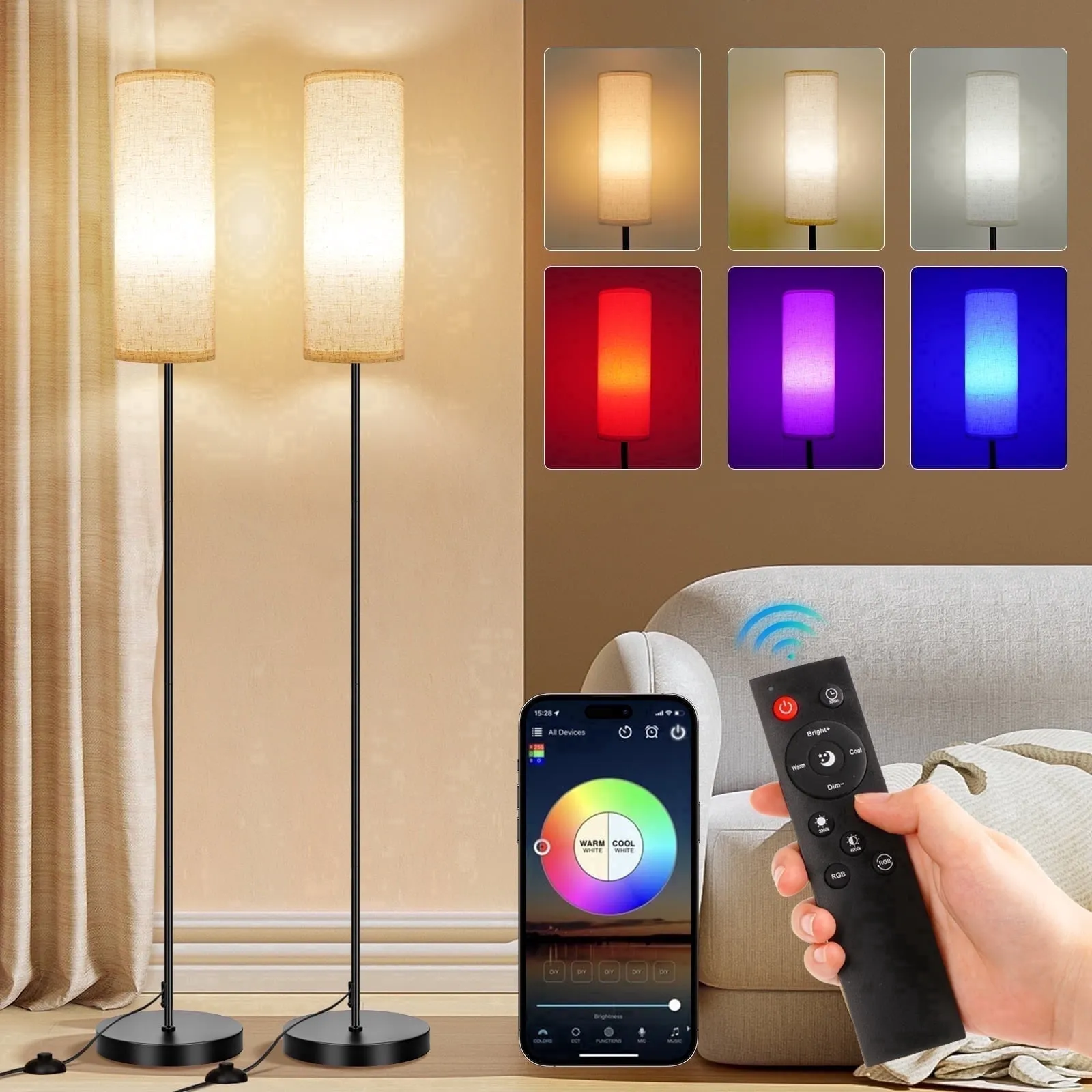
Frideko Home 2 Pack 67 Floor Lamp with Smart Rgb
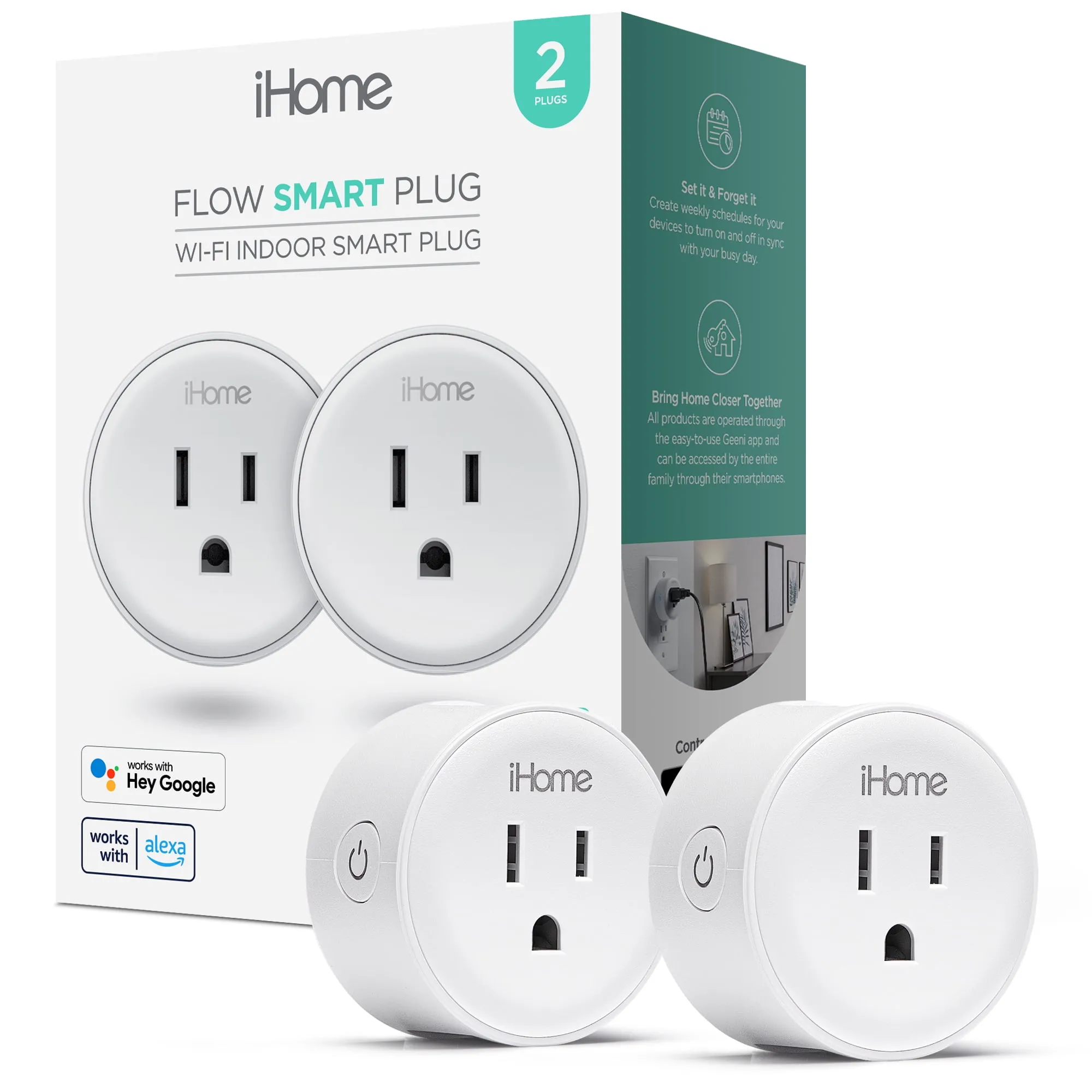
Ihome Smart Plug 15A Wi Fi Outlet Works with Alexa
SHOP WITH PURPOSE THIS BLACK FRIDAY.
Explore ProBlack, discover participating sellers and compare products that fit your needs and budget.Browse ProBlack products
Frequently Asked Questions
What smart home device should a beginner buy first?
A compatible smart plug for a suitable lamp or a simple smart bulb is a low-commitment way to test controls and scheduling.
Do all smart devices work with Matter?
No. Verify the individual product and the features supported by your controller. Some devices need bridges, hubs or Thread border routers.
Do security cameras require monthly payments?
Some do for cloud storage or advanced features; others provide local storage or basic features without a plan. Read the exact listing and subscription terms.
Can smart plugs control heaters?
Do not use a plug for a high-power heating appliance unless the manufacturers explicitly permit the setup and the equipment is appropriately rated.
Will smart thermostats always save money?
No. Savings depend on compatibility, system, climate, household usage and settings.
When should I buy smart home gear this weekend?
Buy when the exact device meets your price target, compatibility requirements and ongoing cost expectations. Waiting until Cyber Monday is optional.